ActiveCampaign Reseller
- HostBill
- HostBill
- Yevhenii K (Unlicensed)
Overview
With HostBill integration you can resell ActiveCampaign Accounts and thanks to the variety of billing models that HostBill offers bill your customers for a number of subscribers or emails sent. Import ActiveCamapign accounts, products and pricing into HostBill and automatically manage ActiveCampaign accounts.
Activating the module
- If the module is included in your HostBill edition you can download it from your client portal.
- If the module is not included in your HostBill edition you can purchase it from our marketplace and then download it from the client area.
- Once you download the module extract it in the main HostBill directory.
- Go to Settings → Modules → Hosting Modules, find and activate ActiveCampaign Reseller module.
Connecting HostBill with ActiveCampaign Reseller
- Proceed to Settings → Apps → Add new App
- From Applications list select ActiveCampaign Reseller
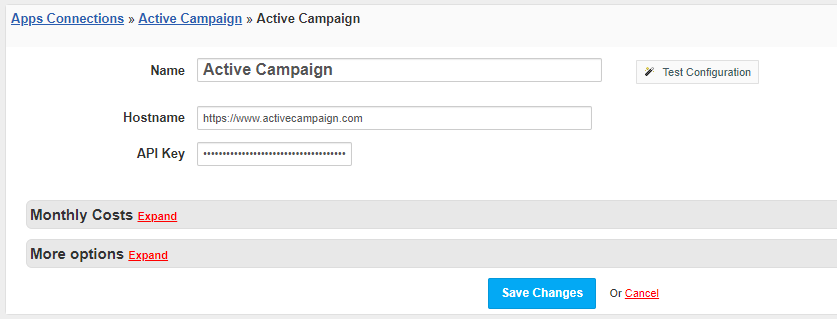
- Enter:
- Name - Name of this connection
- Hostname / API Host - to be found in Active Campaign partner portal → Reseller API
- API Key - to be found in Active Campaign partner portal → Reseller API
4. Verify entered credentials by clicking Test Connection to check if HostBill can connect
5. Save Changes
Adding ActiveCampaign Reseller product
- In HostBill go to Settings → Products & Services, and Add new order page
- From Order Types select Other Services
- After creating order page add new product in it, provide name & Save changes
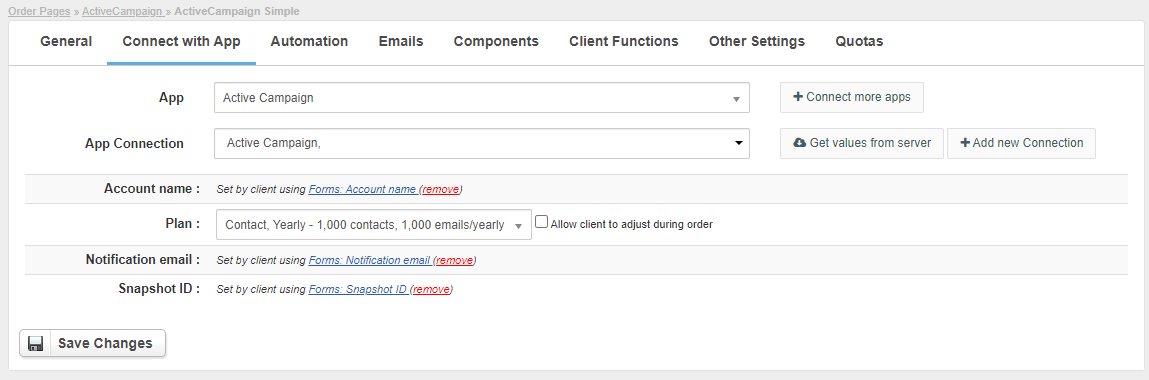
- In product configuration section proceed to Connect with App,
- Enter or allow customer to enter:
- Account name - Use "Allow client to adjust during order" to auto-create Component → Form → Input box for client to enter preferred account name.
- Plan - use Get Values from server to list available plans
- Notification email - Provide email that can receive notifications about newly created accounts (ie your admin email)
- Snapshot ID - Snapshot to use when creating account. Account snapshots can be configured in the reseller panel - use Get Values from server to list available snapshots
- Submit changes, your package is ready
Importing existing accounts
Note that this module supports Importing from control panel feature, so you can import existing accounts with ease
Importing products & pricing
This module also supports Importing products feature, so after creating first package (as a reference) you can automatically import remaining Active Campaign products & auto-update prices
Quotas / Metrics / Metered billing
This module supports Quotas / Account Metrics feature, so you can setup limits & display usages, trigger automation based on usage and bill actual resource usage.
Configuring Client Functions
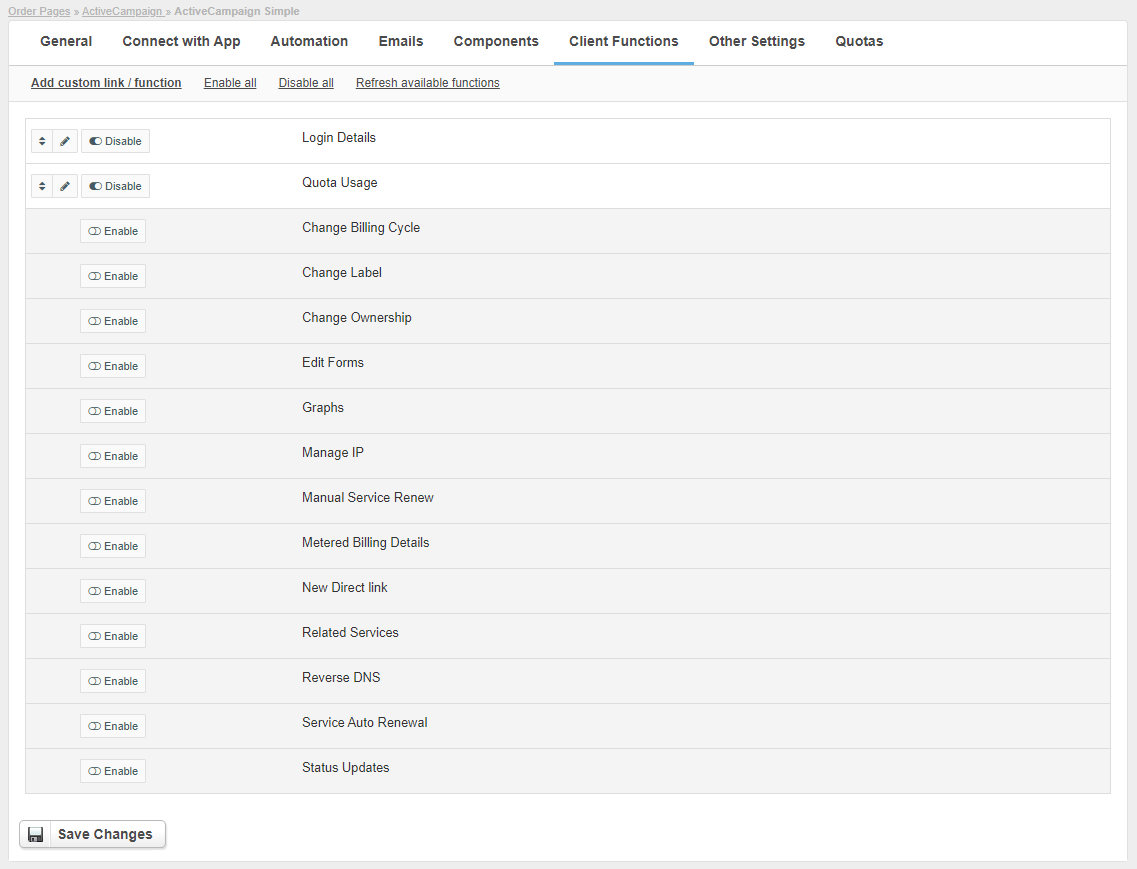
In Products & Services → Your Order Page → Your Product → Client Functions you can control what features customer will have access to in client portal, by clicking Enable/Disable next to the given option.
Use Edit button to adjust function appearance in the client portal.