Slimsite
- HostBill
- HostBill
- HostBill Support
Notice: This module is deprecated and no longer supported by HostBill
Overview
Slimsite is the easy full-featured site builder, that allows to build a professional-looking website with no coding experience whatsoever. Billing for Slimsite plans is done on a per piece basis, and they are billed monthly. Slimsite is a product developed by Resello. HostBill integration with Slimsite allows to resell Slimsite Sitebuilder and use HostBill automated billing features to bill for Slimsite services / plans. Thanks to powerful automation, HostBill automatically creates site and assigns plan and terminates Sites/Users in Slimsite.
Activating the module
- If the module is included in your HostBill edition you can download it from your client portal.
- If the module is not included in your HostBill edition you can purchase it from our marketplace and then download it from the client area.
- Once you download the module extract it in the main HostBill directory.
- Go to Settings → Modules → Hosting Modules, find and activate Slimsite module.
Connecting HostBill with Slimsite
- Proceed to Settings → Apps → Add new App
- From Applications list select Slimsite
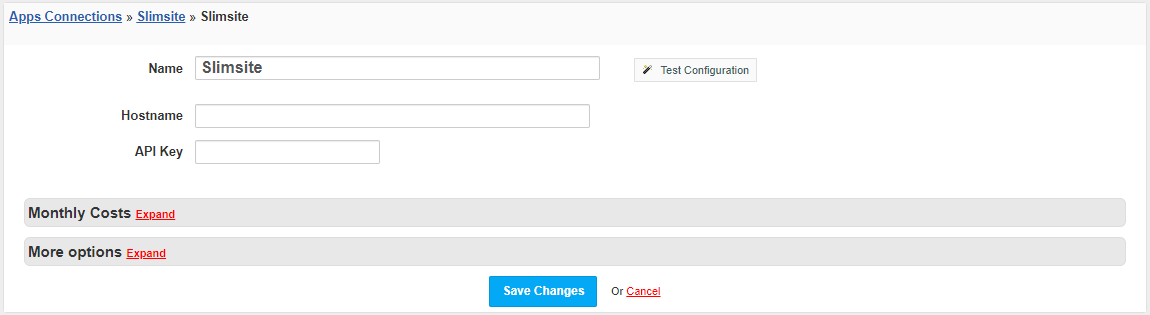
- Enter:
- Name - Name of this connection
- Hostname - Hostname of your Slimsite panel
- API Key - API key obtained from the Slimsite panel
4. Verify entered credentials by clicking Test Connection to check if HostBill can connect
5. Save Changes
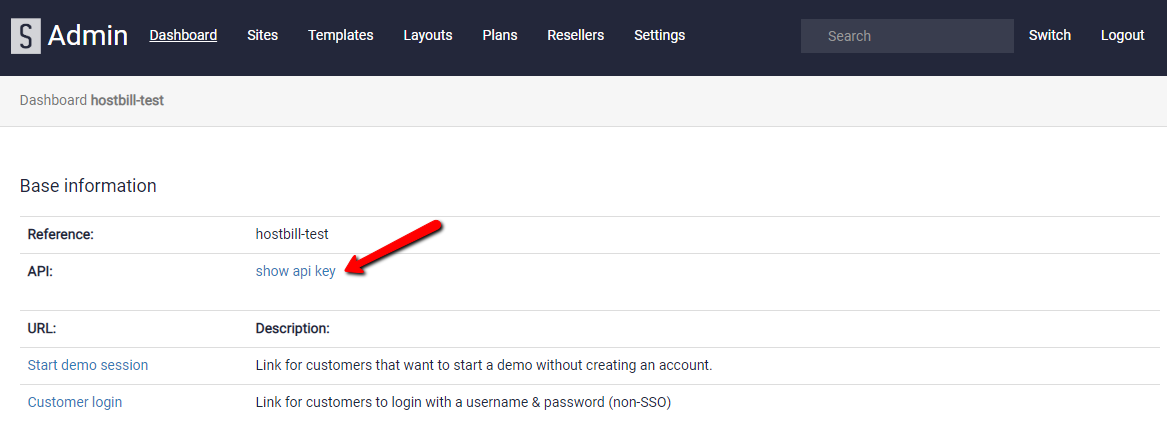
API data can be obtained from Slimsite panel. In the Dashboard tab, press show API key and copy the obtained key to the API Key field in the application configuration in HostBill.
Adding Slimsite package
- In HostBill go to Settings → Products & Services, and Add new order page
- From Order Types select Shared Accounts
- After creating order page add new product in it, provide name & Save changes
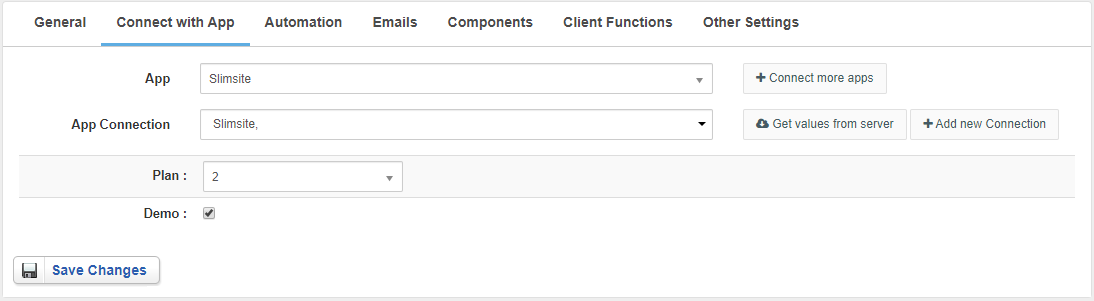
- In product configuration section proceed to Connect with App, select Slimsite module and App server created in previous steps.
- Press the Get values from server button to load available plans.
Select plan this HostBill package should be related to.
You can view detailed information about plans in the Plans section and find their IDs tab of the Slimsite panel (https://in-admin.hostcontrol.com/admin/plans) - When the Demo box is checked, the pages created will not be published.
For more generic product configuration details including price, automation, emails settings refer to Product Configuration article.
Configuring Client Functions
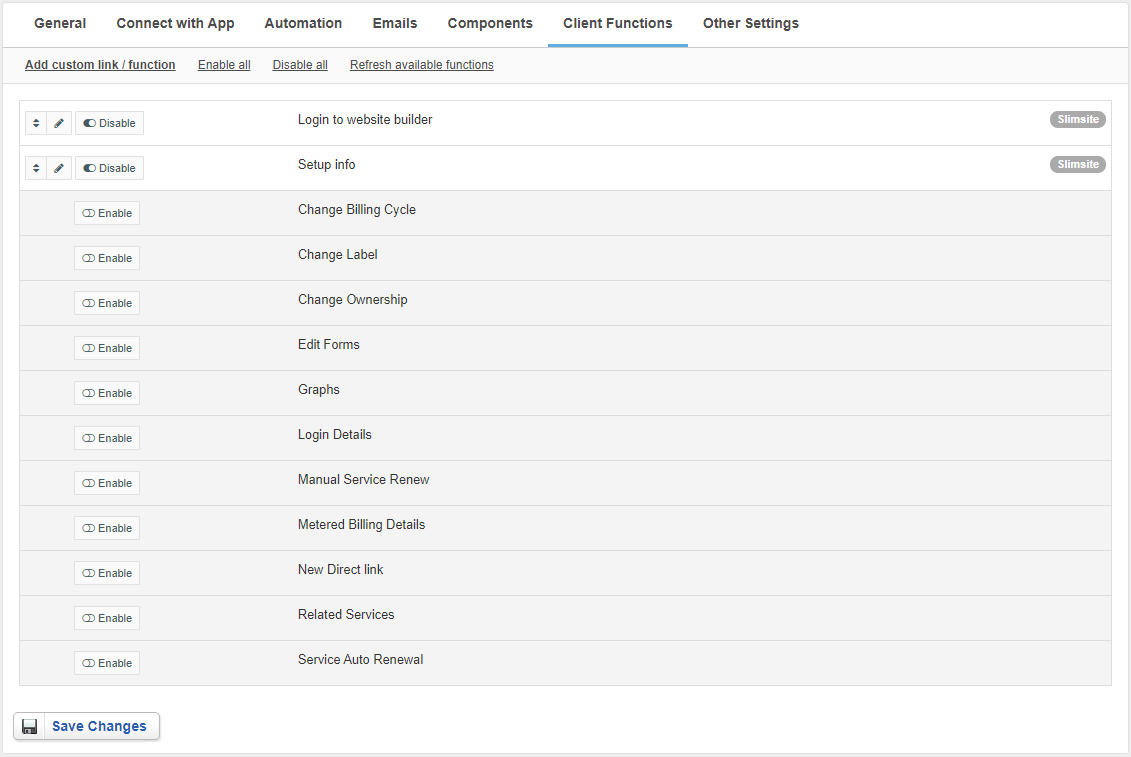
In Products & Services → Your Order Page → Your Product → Client Functions you can control what features customer will have access to in client portal, by clicking Enable/Disable next to the given option.
Use Edit button to adjust function appearance in the client portal.
For Slimsite you can enable additional client functions:
- Login to website builder - It allows to login to the website builder
- Setup info - Displays information on how to integrate hosting with the builder site