Coinpayments
- HostBill
Overview
Coinpayments is a leader in the rapidly changing payments sector. Coinpayments believes in payment diversity and has created an open and democratic platform that enables merchants to accept 100's of new and innovative coins - from Litecoin to Madesafe and Ether. HostBill supports Coinpayments payment gateway for collecting payments out of the box.
Activating the module
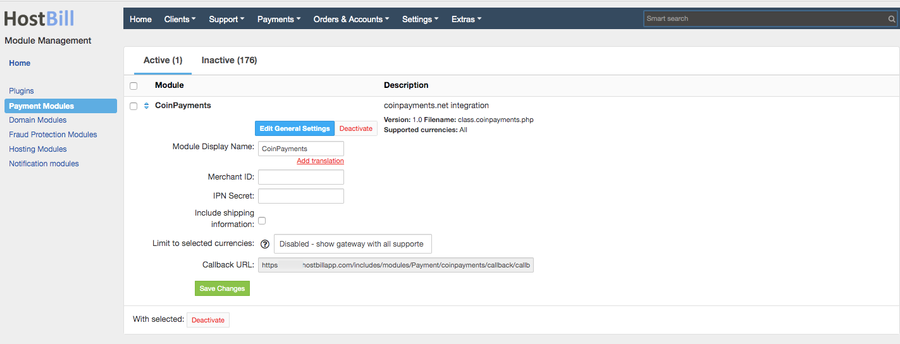
In order to activate the module login to your HostBill admin panel, go to Settings → Modules → Payment Modules, choose Coinpayments gateway and click Activate.
Module configuration
Then proceed to filling in all other configuration fields:
- Merchant ID
- IPN Secret
All required information can be obtained once you login to your Coinpayments merchant panel.
FAQ
Question: I've enabled the module but it does not display in my client portal.
Answer: This module does not support the currency you attempt to display it in, please use background currency conversion.