Synchronization
- HostBill
You can find this section in HostBill Admin Area → Settings → General settings → Domain Settings → Synchronization.
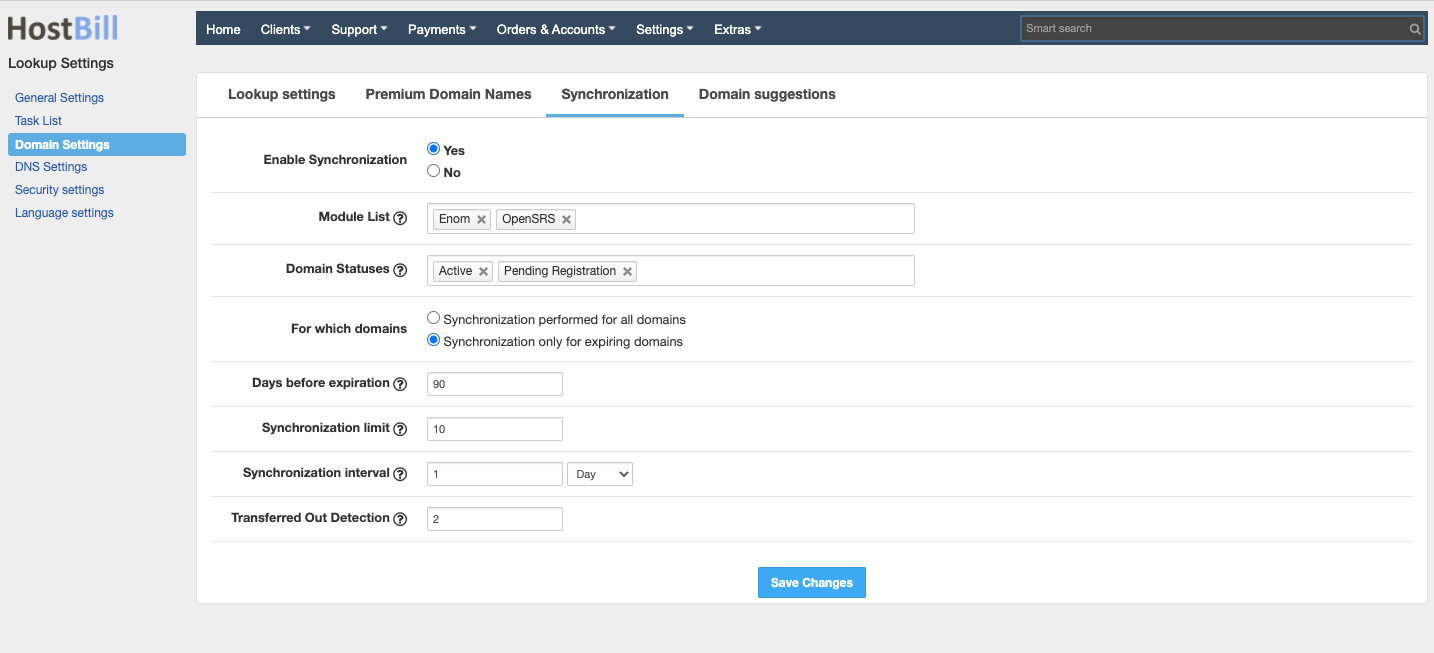
Enable synchronization
This option allows to you enable automatic domain synchronization.
Module list
This option lets you choose the modules, for which automatic synchronization will be performed. When the list is empty, synchronization will be performed for all modules.
Domain statuses
List of domain statuses, for which synchronization will be performed. When the field is empty the default value will be used (Default: Active).
For which domains
Here you can choose the synchronization to be performed:
- for all domains
- only for expiring domains
Days before expiration
Choose how many days before the domain expires. When the field is empty, the default value will be used (Default: 90)
Synchronization limit
Limit of synchronizations run in a single cron task. When the field is empty, the default value will be used (Default: 10).
Synchronization interval
Minimum synchronization interval for a single domain.
Transferred Out Detection
This option allows to set a number of failed domain synchronization attempts after which the domain will be considered as Transferred out.