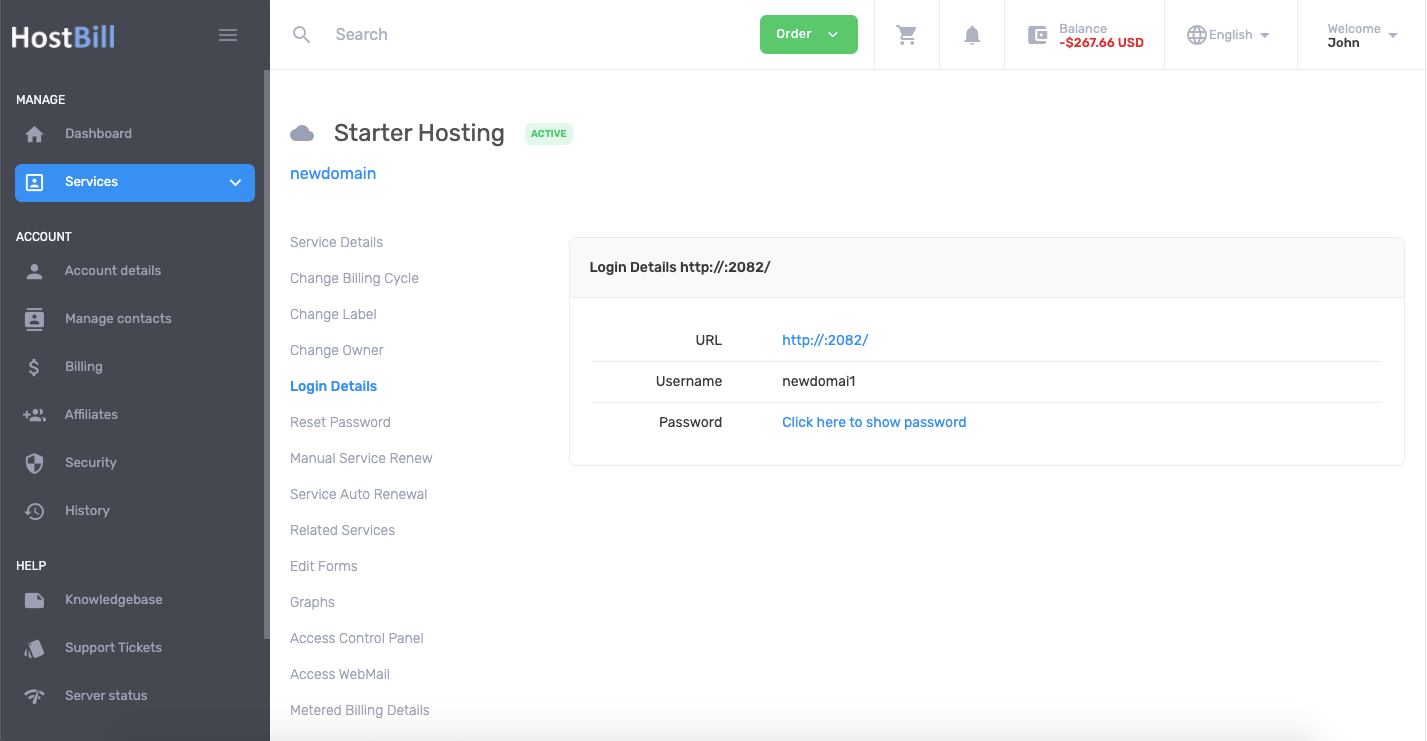
Client Functions: Login Details
- HostBill
Owned by HostBill
You can find this section in HostBill Admin → Settings → Products & Services → Your order page → Your product → Client Functions → Login Details
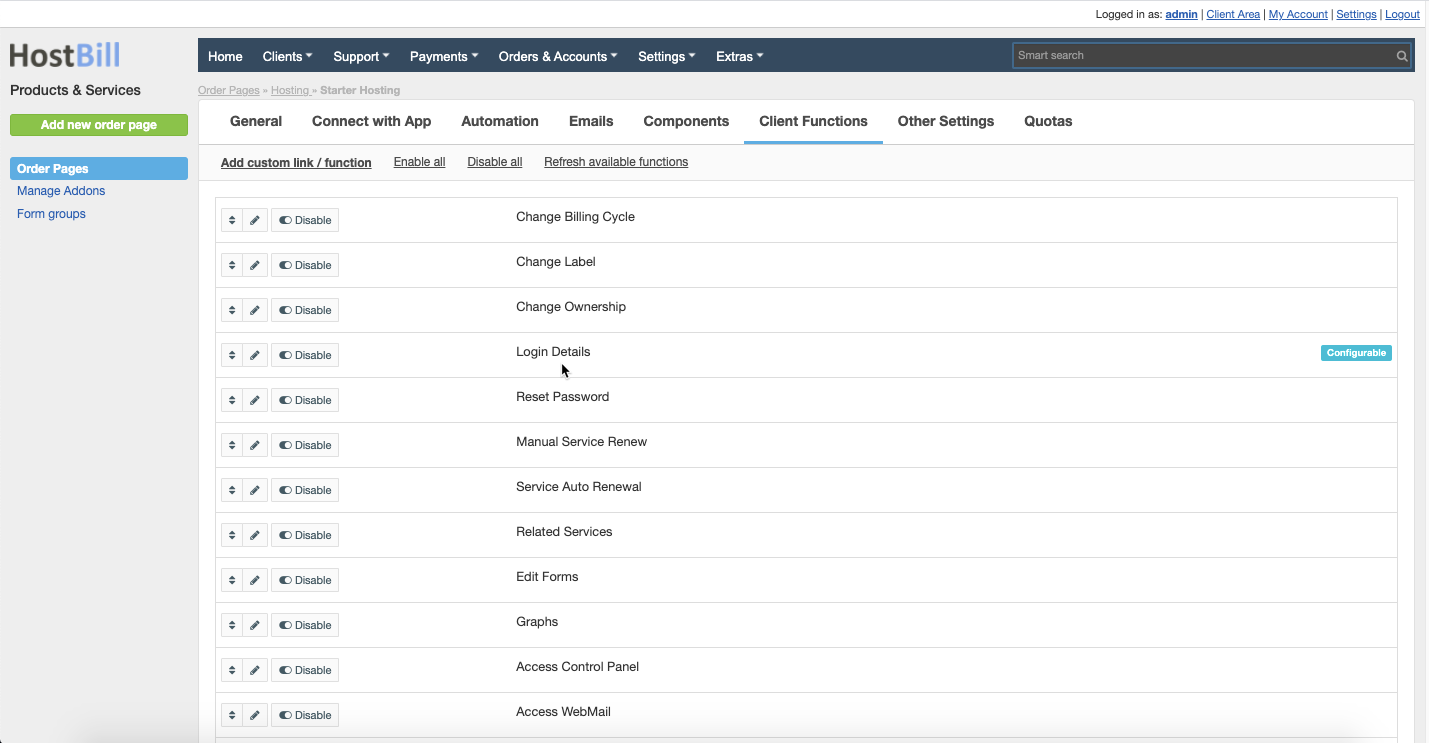
Configuration
Appearance
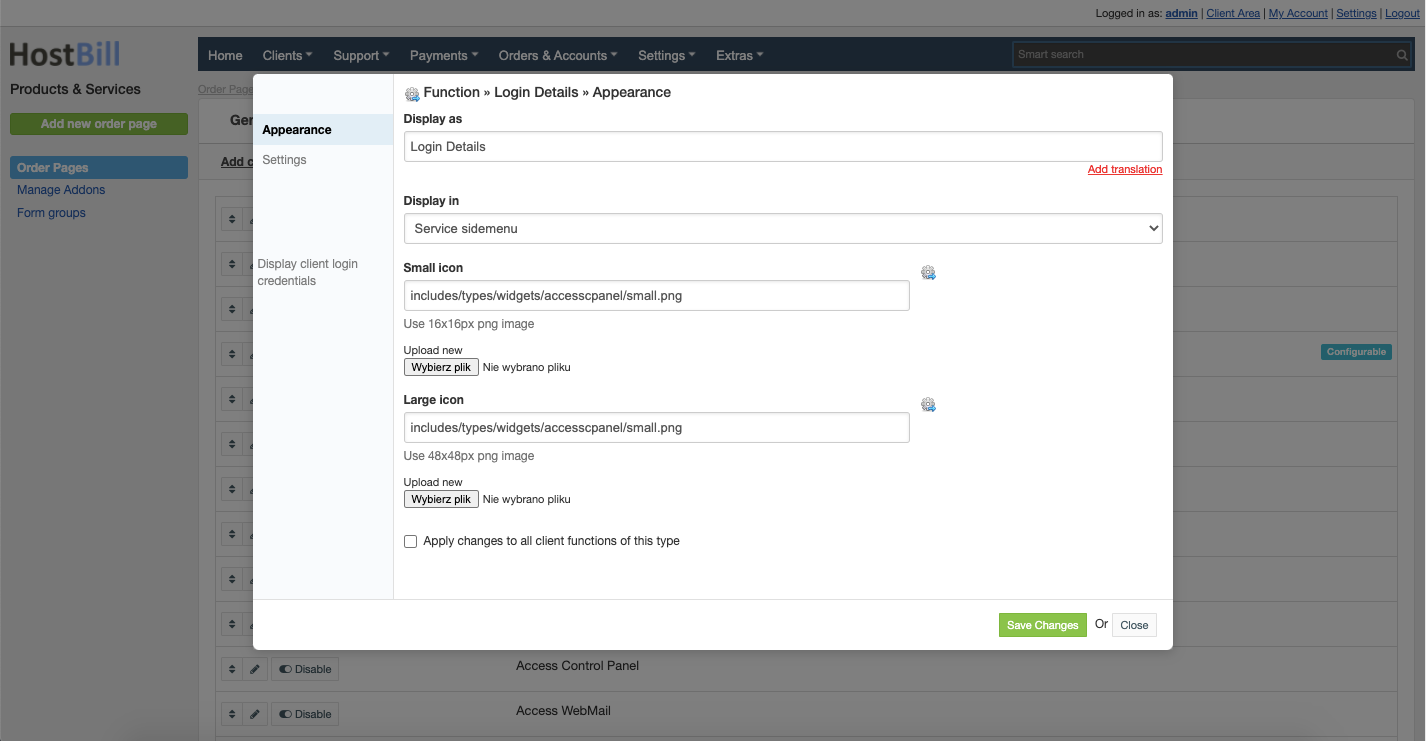
By clicking the pencil icon on the client function listing page you can edit this Client function appearance in client area. Available option are:
- Display as - name of this client function in client area
- Display in:
- Service sidemenu
- Service "apps" menu
- Small icon - you can upload the icon, use 16x16px png image
- Large icon - you can upload the icon, use 48x48px png image
You can also choose to Apply changes to all client functions of this type.
Settings
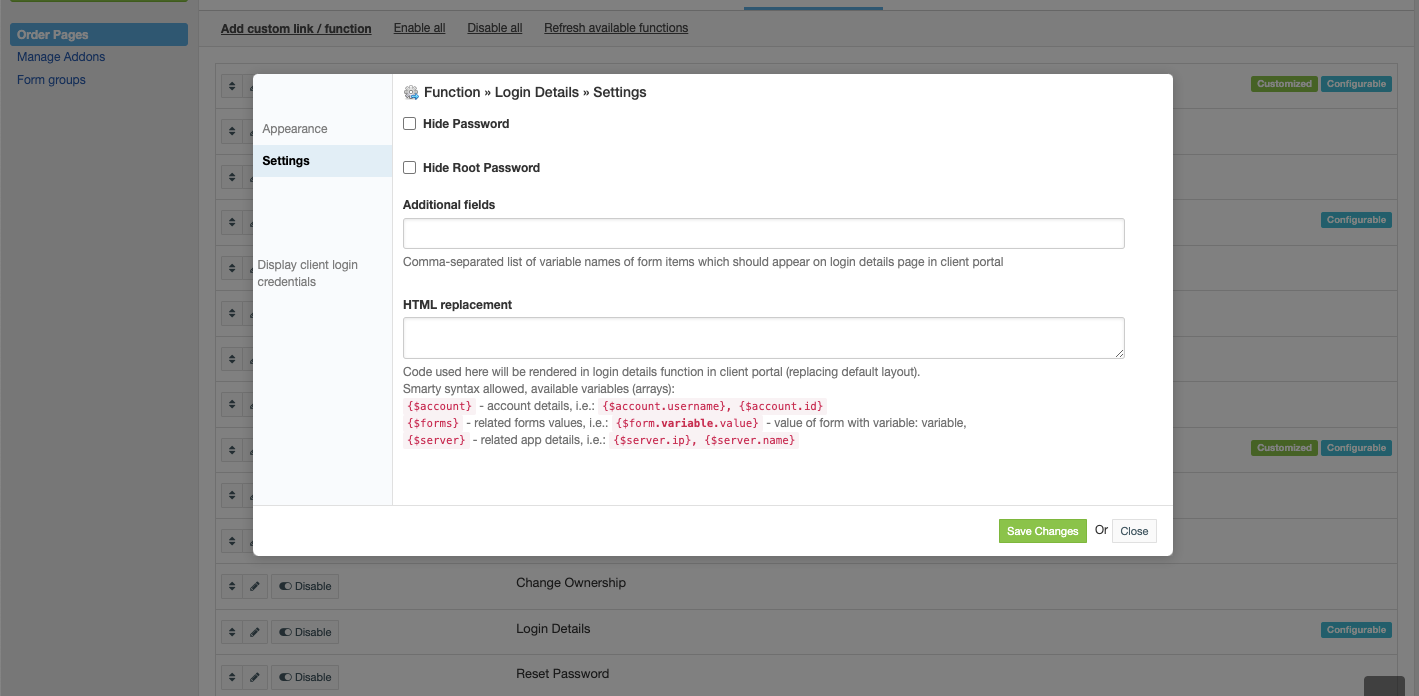
This tab provides additional settings for this client function:
- Hide Password
- Hide Root Password
- Additional fields - comma-separated list of variable names of form items which should appear on login details page in client portal
- HTML replacement - code used here will be rendered in login details function in client portal (replacing default layout).
Smarty syntax allowed, available variables (arrays):§{$account}- account details, i.e.:{$account.username},{$account.id}{$forms}- related forms values, i.e.:{$form.variable.value}- value of form with variable: variable,{$server}- related app details, i.e.:{$server.ip},{$server.name}
Sample Client area view