Product/services Email settings
- HostBill
You can find this section in HostBill Admin → Settings → Products & Services → Your order page → Your product → Emails
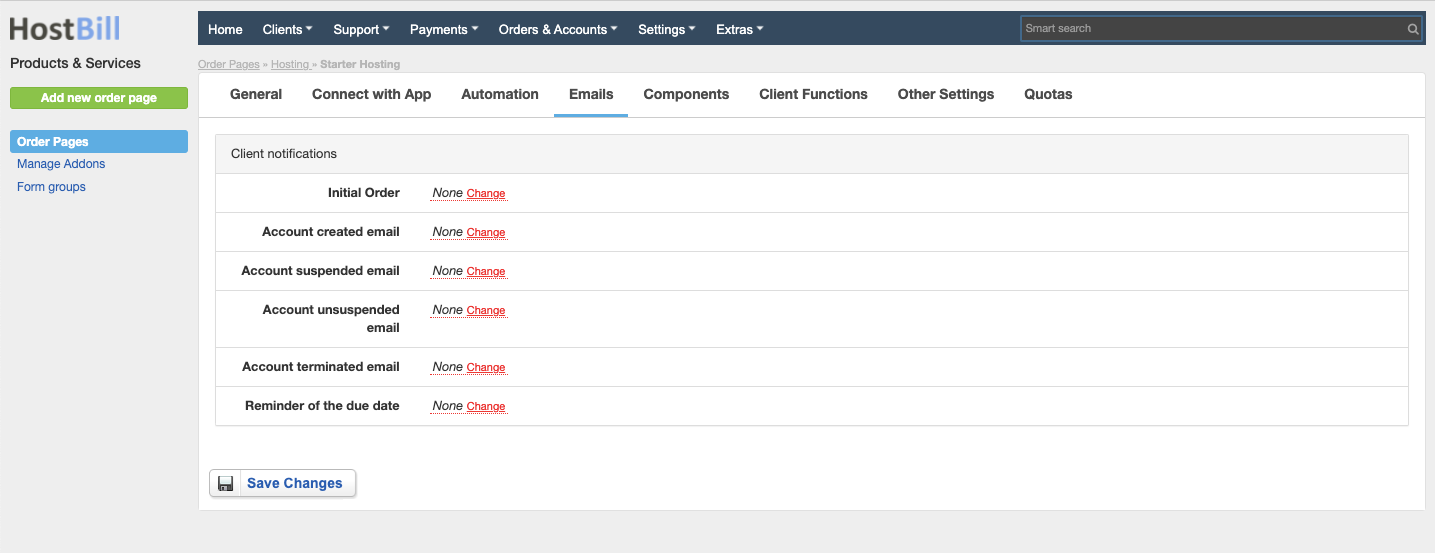
Initial Order email
Enable this option if you want HostBill to send to client the email confirm the purchase. Choose the email template from the list - you can manage templates in Settings → Email Templates.
Account created email
Enable this option if you want HostBill to send to client the email confirm that the account was created. Choose the email template from the list - you can manage templates in Settings → Email Templates.
Account suspended email
Enable this option if you want HostBill to send to client the email to inform them upon account suspension. Choose the email template from the list - you can manage templates in Settings → Email Templates.
Account unsuspended email
Enable this option if you want HostBill to send to client the email to inform them upon account unsuspension. Choose the email template from the list - you can manage templates in Settings → Email Templates.
Account terminated email
Enable this option if you want HostBill to send to client the email to inform them upon account termination. Choose the email template from the list - you can manage templates in Settings → Email Templates.
Reminder of the due date email
Enable this option if you want HostBill to send to client the email to inform them about the upcoming service expiration date. Choose the email template from the list - you can manage templates in Settings → Email Templates.